Timecode Converter
freeLTC to MTC, MTC to LTC, and an LTC generator. Built to hold up during a show.
Lighting desks, playback rigs, video servers and consoles each want timecode in their own format. Timecode Converter is a free Mac app that reads LTC from any audio input or MTC from any MIDI input, and sends it on as MTC, LTC or both — or generates fresh LTC and MTC itself.
Every frame rate from 23.976 to 30 drop-frame, freewheel over dropouts, a clear LOCKED / FREEWHEEL status, and a big timecode display for the stage or the control room.
Screenshots
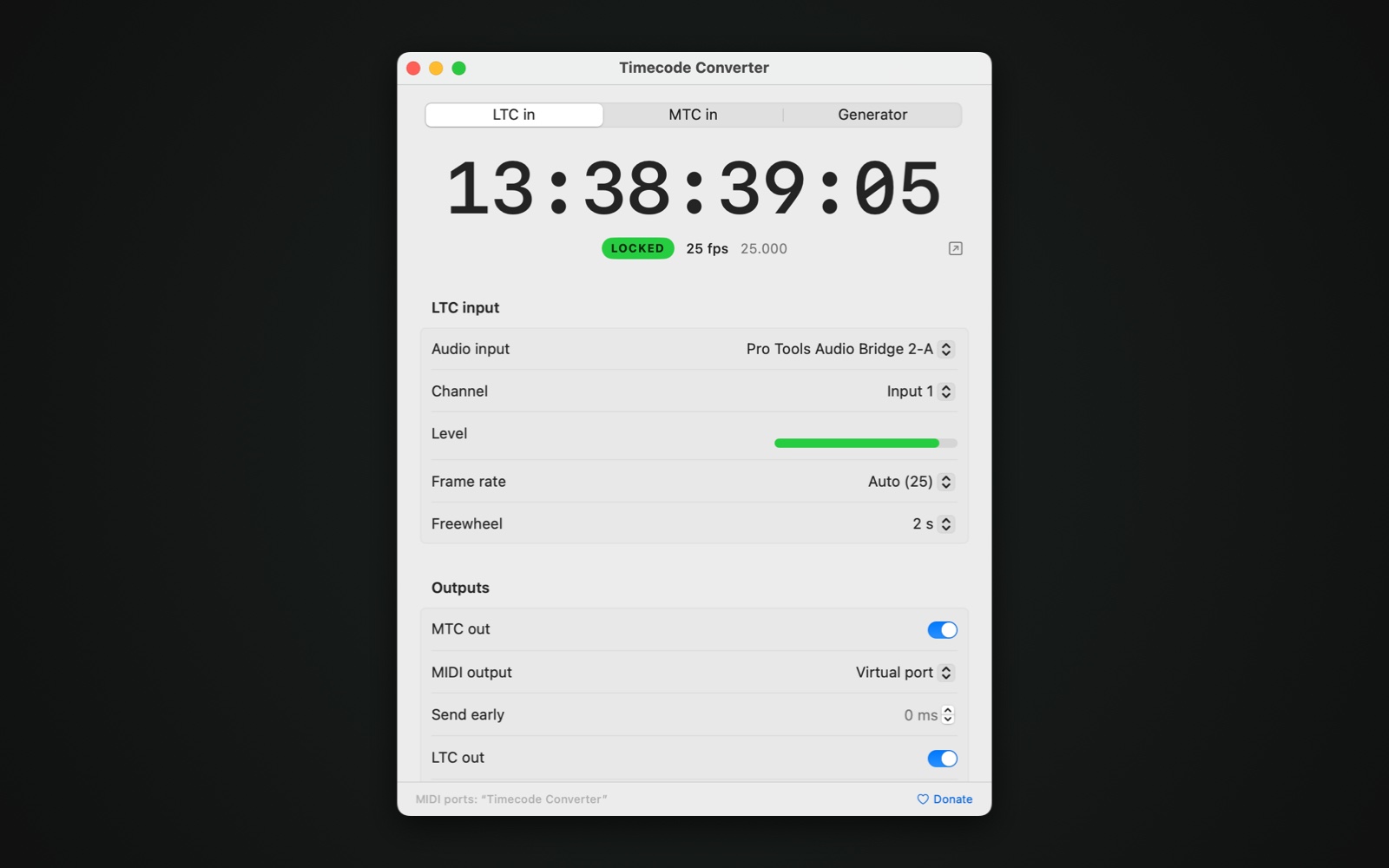
LTC in from an audio interface, locked at 25 fps, sent on as MTC and LTC
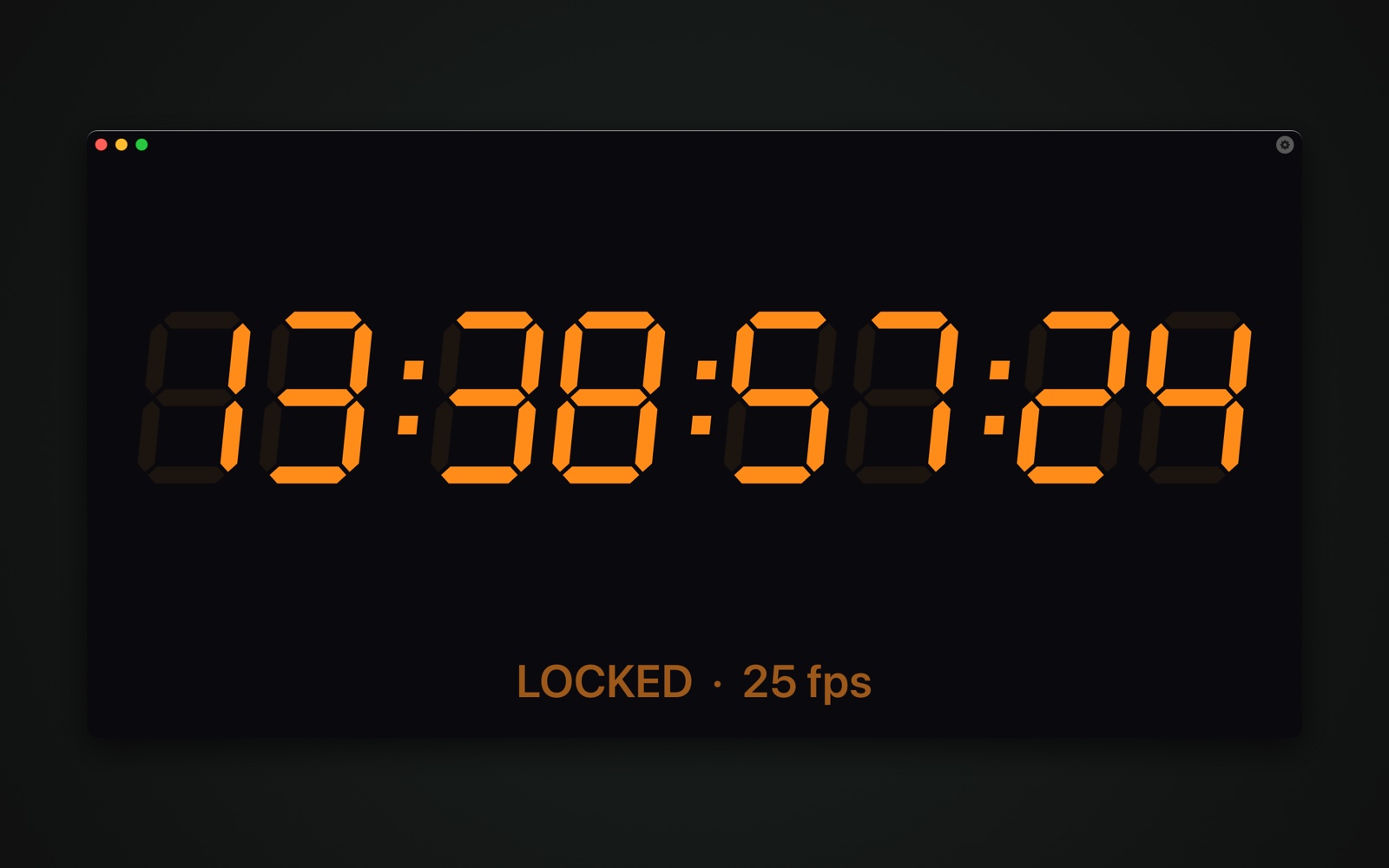
The pop-out display: any size, full screen, LED segments or a clean typeface
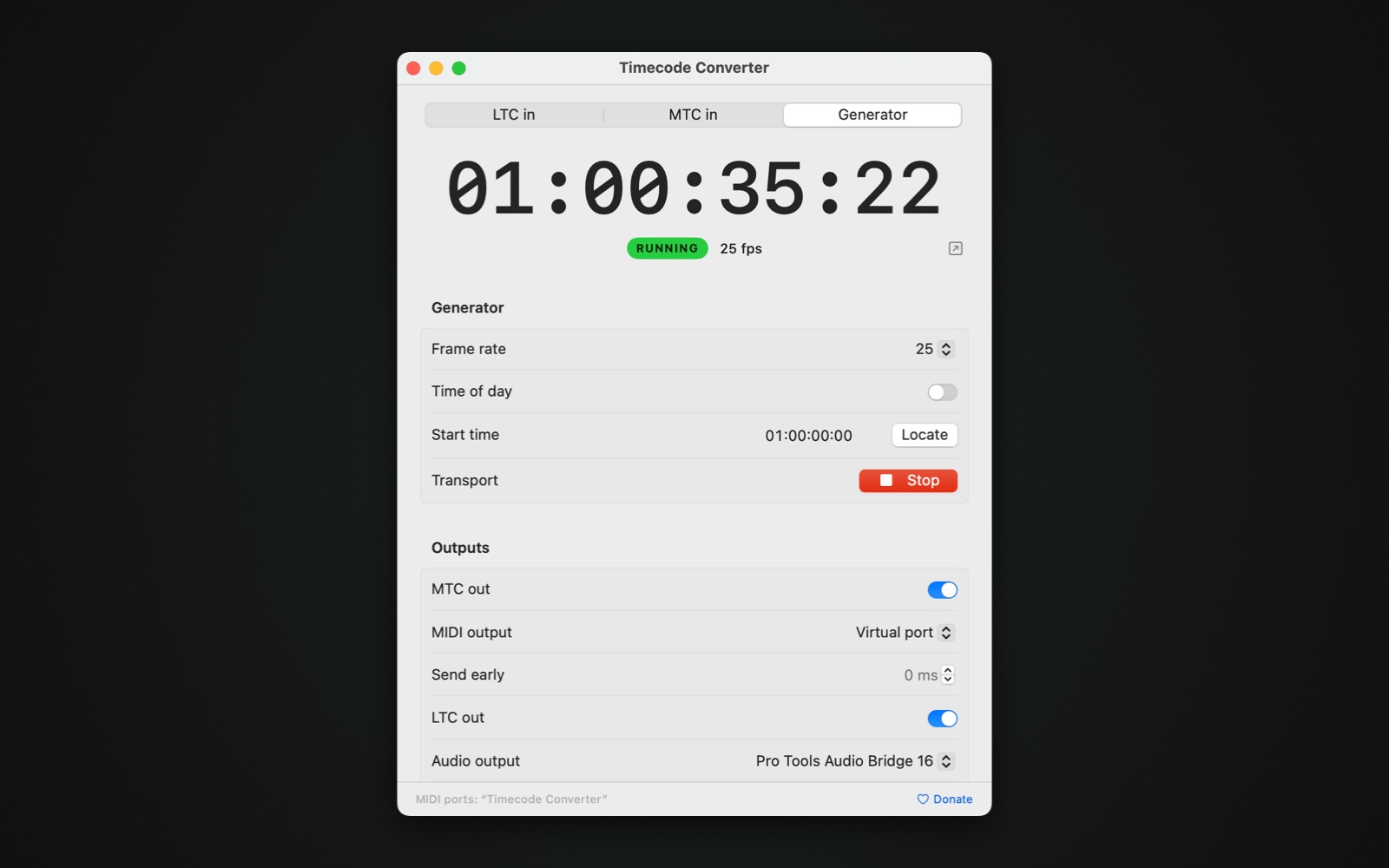
The generator: LTC and MTC from a start time or the time of day
What it does
LTC ⇄ MTC
LTC from any audio input to MTC on any MIDI output, MTC to LTC, or both outputs at once. LTC out in mono or on a stereo pair, at the level you set.
Every frame rate
23.976, 24, 25, 29.97 drop-frame and non-drop, and 30. Auto detects the rate and tells 24 from 23.976 and 30 from 29.97 by measuring the speed.
Freewheel and relock
When the input drops out, the outputs keep running for up to ten seconds. A clear LOCKED, ACQUIRING or FREEWHEEL status shows what is happening.
Robust against bad signal
Damaged frames are ignored instead of passed on, a jump has to be confirmed by the next frame, and LTC is read from 95 to 105 % speed and in reverse.
Generator
Make LTC and MTC yourself from a start time, with play, stop and locate, or run on the time of day.
Big display
Pop the timecode out into its own window: any size, full screen, always on top, with LED segments or a typeface and your own colours.
Offset and send early
Add an offset in frames to both outputs, and send MTC up to 100 ms early or late to make up for delay further down the line.
Nothing else to install
Our own LTC encoder and decoder, built in. No drivers, no extra downloads. The app also adds a virtual MIDI port, “Timecode Converter”, for software on the same Mac.
How it works
- Pick a source. Drag Timecode Converter to Applications and open it. Choose LTC in (an audio input and channel), MTC in (a MIDI input) or the generator.
- Switch on the outputs. Turn on MTC out and pick a MIDI output (or the virtual port “Timecode Converter”), and/or LTC out on any audio output, with level and offset.
- Watch it lock. The status turns LOCKED with the frame rate next to it. If the input drops out, the outputs freewheel and the status says so. Open the big display (⇧⌘D) for a readout anyone in the room can see.
Frequently asked questions
Is Timecode Converter really free?
Yes. Timecode Converter is free to download and use, with no account, license key, ads or tracking. If it helps you, you can support its development with a donation — entirely optional.
What do I need to read LTC?
Any audio input on the Mac: the built-in input, a USB or Thunderbolt audio interface, or a Dante or AVB virtual sound card. Choose the input and the channel the LTC is on. macOS asks once for microphone access; the app only decodes the timecode and records nothing.
Which frame rates does it support?
23.976, 24, 25, 29.97 drop-frame, 29.97 non-drop and 30 fps, for input, output and the generator. Leave the frame rate on Auto and the app reads it from the input; it tells 24 from 23.976 and 30 from 29.97 non-drop by measuring the speed, because those pairs carry the same frame numbers.
How is 23.976 sent as MTC?
MIDI Timecode has no 23.976 type, so 23.976 goes out as MTC type 24, as on other converters, running at the real 23.976 speed. 29.97 non-drop goes out as type 30. The app shows the actual rate on screen so you always know what is running.
What happens when the timecode drops out?
The outputs freewheel: they keep running on their own for the time you set (off, 0.5, 1, 2, 5 or 10 seconds) and the status turns orange, FREEWHEEL. When the timecode returns, the app relocks within a fraction of a second. If the freewheel time runs out, the outputs stop.
Can I use it with software on the same Mac?
Yes. The app adds a virtual MIDI port called “Timecode Converter”. Software such as QLab, Ableton Live, Pro Tools or a lighting program can receive MTC from it, or send MTC to it to convert to LTC. For LTC between programs, use a loopback audio device.
The receiving device is a frame behind. Can I fix that?
Use Offset to add or subtract whole frames on both outputs, and Send early to send MTC up to 100 ms ahead (or behind) to make up for delay in MIDI interfaces or the receiving device.
Does it need anything else installed?
No. The LTC encoder and decoder are built into the app; there are no drivers, plug-ins or extra downloads. It runs on any Mac with macOS 13 Ventura or later, Apple silicon and Intel, and is signed and notarized by Apple.
Timecode in, timecode out.
Free, no account, no license key.
Download Timecode ConverterBy downloading you agree to the Terms.
Timecode Converter is free and stays free. Saved your show? Support its development ♥