MIDI Clock BPM
freeThe tempo, transport and bar count of any MIDI clock, at a glance.
When drum machines, sequencers, lighting desks and a DAW all run from one MIDI clock, you want to see what that clock is doing. MIDI Clock BPM is a free Mac app that reads it from any MIDI input, or straight from your DAW, and shows the exact tempo, whether it's playing, and where it is in the song.
One big number, a status light you can read from across the room, and the clock's jitter for when sync feels loose.
Screenshots
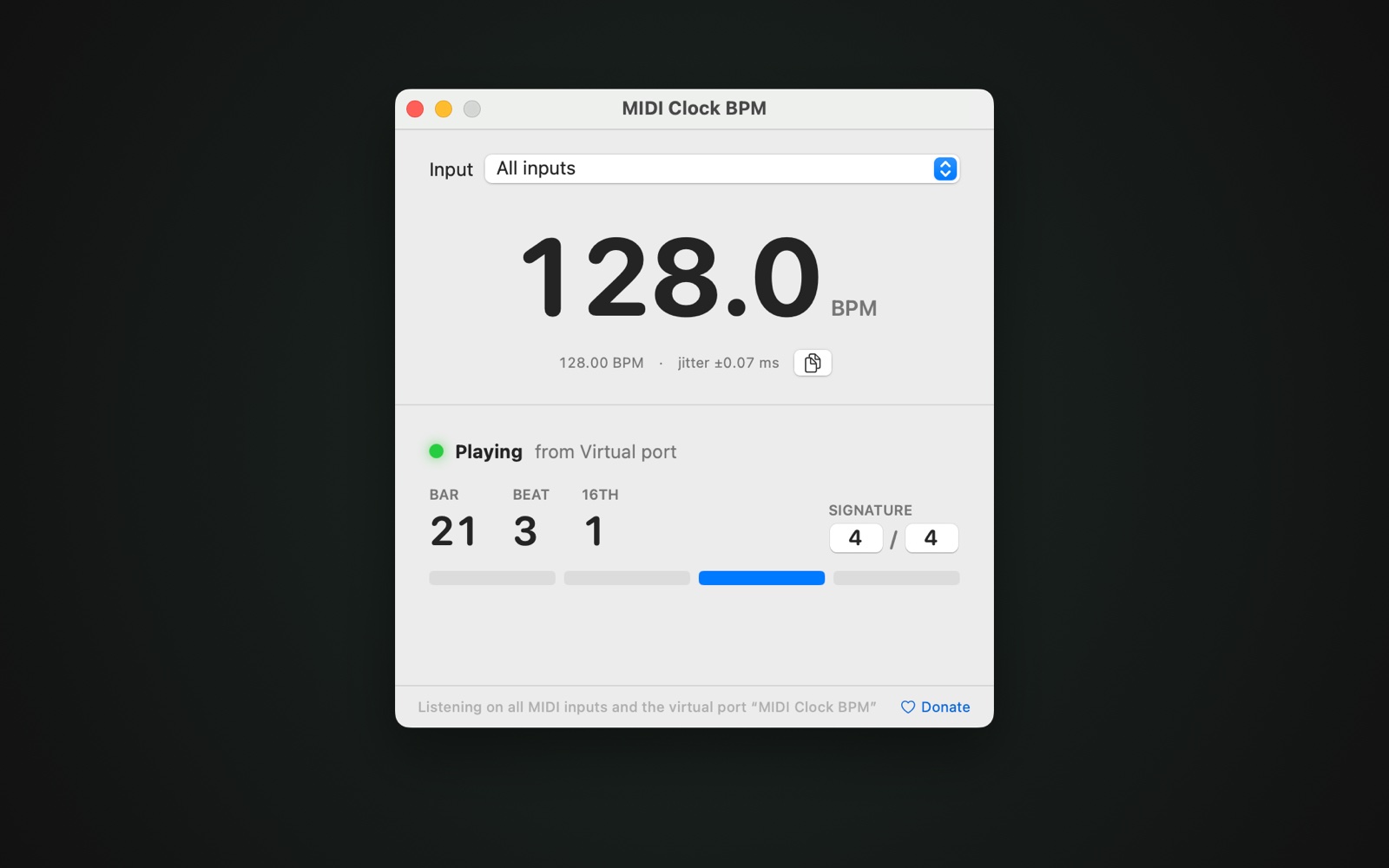
Clock from a DAW: exact tempo, jitter, and the bar, beat and sixteenth while playing
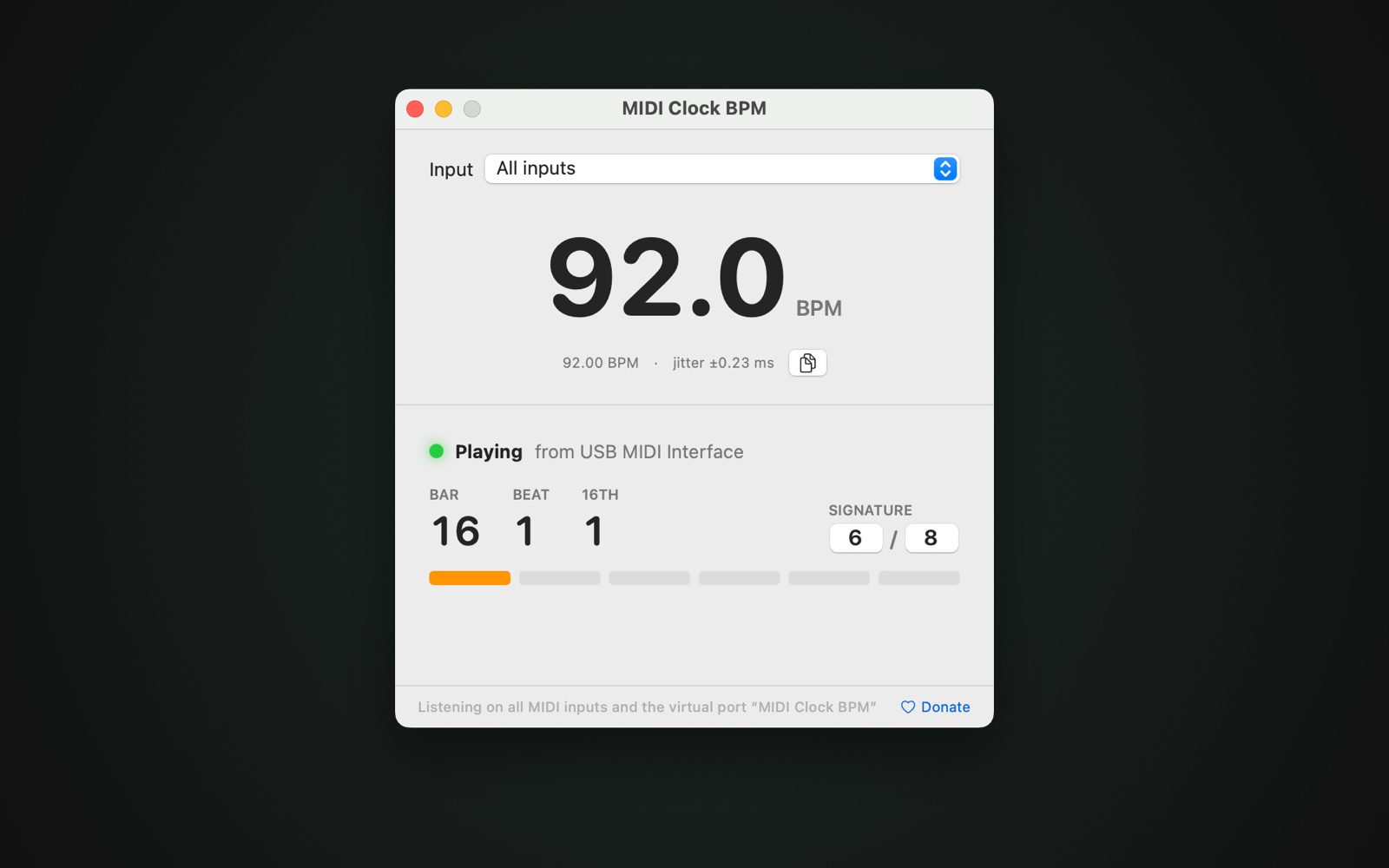
Any time signature, entered like in a DAW — here 6/8 from a drum machine
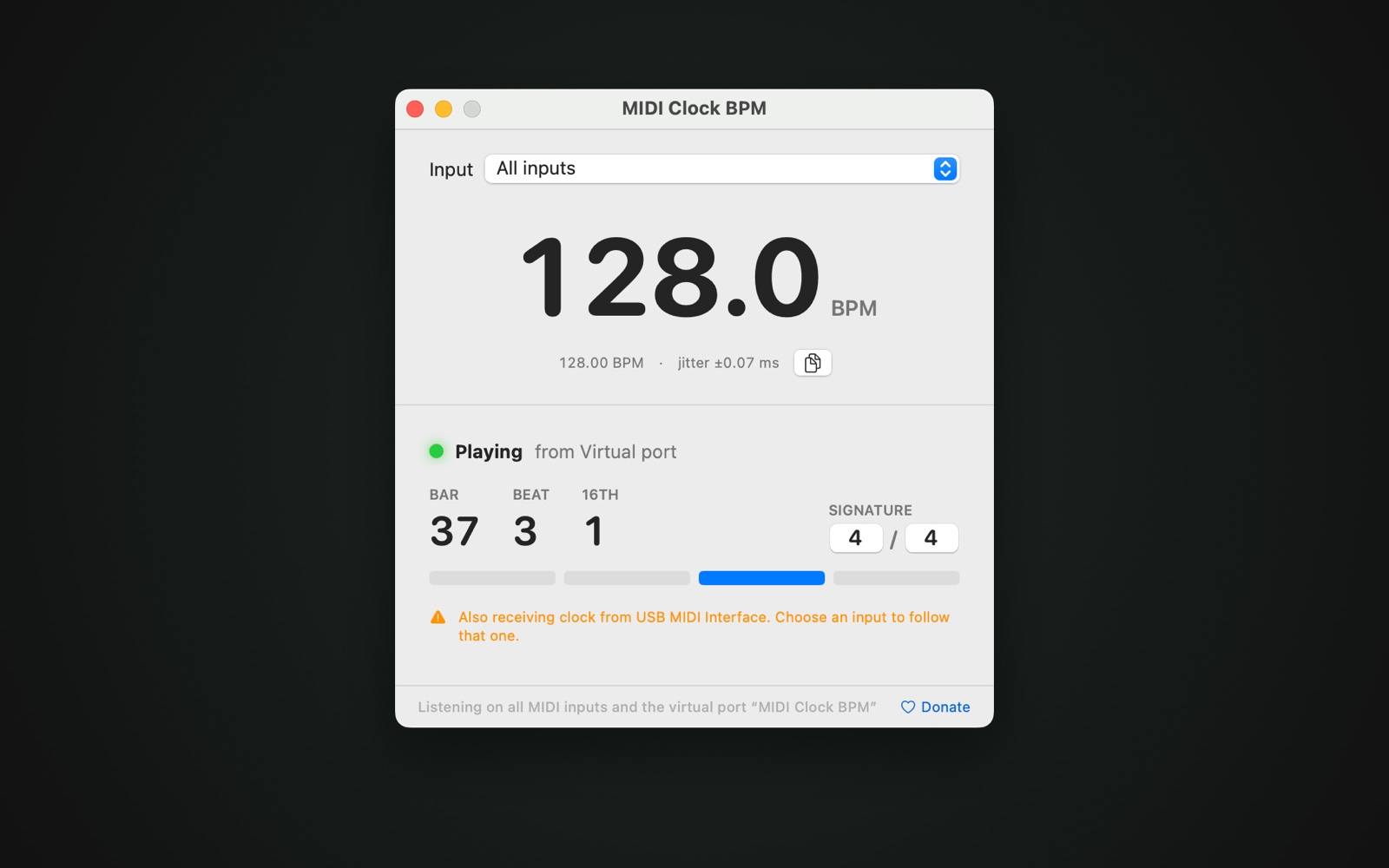
A warning when two inputs send clock at the same time
What it does
Exact tempo
Fitted over up to eight beats of clock using macOS’s MIDI time stamps: steady to a hundredth of a BPM, and a tempo change shows within a beat.
Every MIDI input
USB and DIN MIDI, network sessions and the IAC Driver, plus a virtual input “MIDI Clock BPM” for your DAW. Follow all of them or pick one.
Playing, stopped, gone
A green, orange or red light shows whether the clock is playing, stopped, or dropped out without a Stop — with the last tempo kept on screen.
Bar, beat and sixteenth
Follows Start, Continue and Song Position, with a light per beat. Enter the time signature like in a DAW: 4/4, 6/8, 7/8 and more.
Clock jitter
Shows how much the ticks wander, in milliseconds, so you can tell a tight DAW clock from a loose one over a busy USB hub.
Two clocks? It tells you
If more than one input sends clock at the same time, you get a warning with their names — a classic cause of sync trouble.
How it works
- Open it. Drag MIDI Clock BPM to Applications and open it. It listens to every MIDI input straight away.
- Send it clock. Connect a drum machine, sequencer or console, or switch on MIDI clock in your DAW for the output “MIDI Clock BPM”.
- Read it. The big number is the tempo, with the exact value and the jitter below. Under that: Playing or Stopped, the bar, beat and sixteenth, and a light for every beat of the bar.
Frequently asked questions
Is MIDI Clock BPM really free?
Yes. MIDI Clock BPM is free to download and use, with no account, license key, ads or tracking. If it helps you, you can support its development with a donation — entirely optional.
Which MIDI inputs does it read?
Every MIDI input of the Mac: USB MIDI devices, DIN MIDI through an interface, network MIDI sessions and the IAC Driver. It also adds a virtual input called “MIDI Clock BPM” that a DAW can send its clock to directly. Leave Input on All inputs, or choose one.
How do I send clock from Ableton Live or Logic Pro?
In Ableton Live, open Settings → Link, Tempo & MIDI and switch on Clock for the output “MIDI Clock BPM” (or the IAC Driver bus you use). In Logic Pro, open File → Project Settings → Synchronization → MIDI and tick Clock for the destination “MIDI Clock BPM”. Then press play.
How accurate is the tempo?
The tempo is fitted over up to eight beats of clock, using the time stamps macOS gives every MIDI message. A steady clock reads to a hundredth of a BPM, even with a millisecond of jitter. A tempo change shows within a beat.
What does the jitter value mean?
How far the clock ticks wander from a perfectly steady clock, in milliseconds (RMS). A DAW typically stays well under half a millisecond; hardware over DIN MIDI or busy USB can be a millisecond or more. High jitter can make synced arpeggiators and delays sound loose.
Can it detect the time signature?
No — MIDI clock doesn’t carry one. It sends 24 ticks per quarter note and the song position in sixteenths, but nothing about bars. Enter the time signature in the two fields, like in a DAW (4/4, 6/8, 7/8…), and the bar and beat count follows it.
Why is there no bar count?
The bar count needs a Start, Continue or Song Position message from the sender. If the clock was already running when the app opened, it shows “Clock running” with the tempo only, until the next Start.
Which Macs does it run on?
Any Mac with macOS 13 Ventura or later, both Apple silicon and Intel. The app is signed and notarized by Apple.
See what your clock is doing.
Free, no account, no license key.
Download MIDI Clock BPMBy downloading you agree to the Terms.
MIDI Clock BPM is free and stays free. Saved you some troubleshooting? Support its development ♥